Godigitalnow
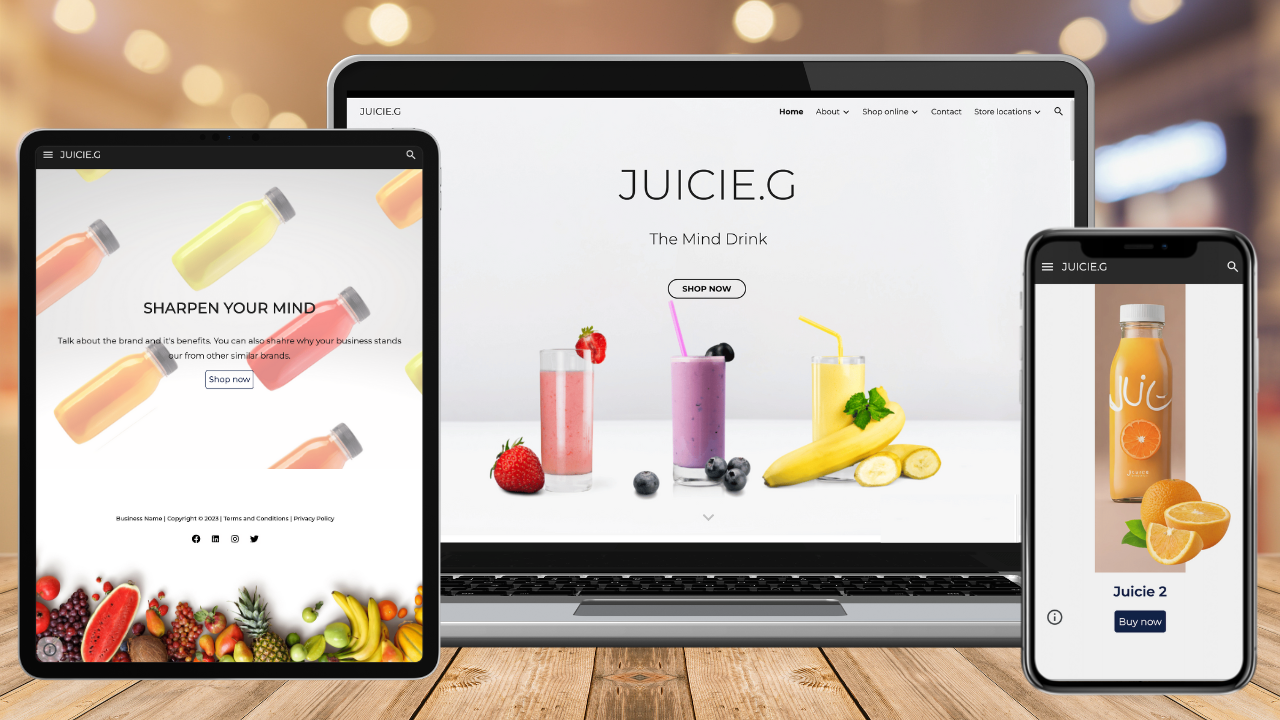
Google Sites Template for Online Stores (Ecommerce)
Published: February 4, 2026
Video Description
Google Sites Tutorial 2026 | Build a free Service Provider or E-commerce Website.
In this updated Google Sites tutorial, I share how anyone can create a responsive, functional, professional, free website with Google Sites in 2026.
This is my most comprehensive Google Sites tutorial yet!
Whether you want to create a full-featured Ecommerce website or just a standard service based-business website you’ll be able to by following this in-depth tutorial.
🛠️ My Top Recommended Tools for Small Business 🛠️
👉 https://stewartgauld.com/tools
*I'm an affiliate with some of the tools I recommend, meaning I will get a commission if you buy through the links I share (at no extra cost to you). This helps support our channel so I thank you in advance!
✅ Looking for a professional Google Sites template? Check out our service business and e-commerce Google Sites templates below (Claim 15% off each template at checkout: 15OFFGSITES).
👉 Need help building your professional online store? Get our premium conversion-focused Google Sites e-commerce template here ➜
https://godigitalnow.store/products/google-sites-template-for-online-stores-ecommerce
👉 Does your business provide a service? Get our premium Google Sites service business template here ➜
https://godigitalnow.store/products/google-sites-template-for-service-businesses
✅ I created a functional CRM and business toolkit for Google Sites called Sheetify CRM.
This CRM connects to Google Workspace and allows you to send bulk 'personalized' emails in just a few clicks, manage clients, sales, tasks, and more!
👉 Learn more about my Google Sites CRM template here ➜
https://www.sheetifycrm.com/products/sheetify-google-sheets-crm-template
(Discount code SHEETIFY10OFF for 10% off!)
► Helpful video resource that I mentioned:
How to connect a custom domain to Google Sites (Free Google account):
https://youtu.be/KFupIgrU3k8
How to connect a custom domain to Google Sites (Paid Google Workspace account):
https://youtu.be/fKPxCx4G__I
How to choose a domain for your small business?
https://youtu.be/aPEYNtk8W4Y
Top 5 FREE website builders for small business:
https://youtu.be/Z3I3IAygXYE
How to connect Google Analytics to Google Sites:
https://youtu.be/QiPvlznkA7k
Google Sites SEO tutorial for beginners:
https://youtu.be/O5qh2M3CKyw
Ultimate Google AI tutorial:
https://youtu.be/igs5bw5P47s
How to use Canva:
https://youtu.be/X1gIrMjjy4U
How to build an Ecommerce store with Shopify:
https://youtu.be/44Ln-xbM5I4
Leon how to use my Google Sheets CRM:https://youtu.be/tr49g0xXr4A
► Today, we navigate through the below chapters for this complete Google Sites tutorial:
0:00 Intro
00:50 Tutorial overview
02:00 Getting started
04:46 Google Sites theme and design
09:04 Customize website pages
14:55 Website footer section
18:04 Add website page and menu
19:50 Create website forms (three methods)
10:01 Customize Google Sites pages
21:02 Google Forms
23:37 Google Calendar schedular form
26:25 Canva AI form
31:55 Add an online store for selling products online
40:03 Create online widgets and web apps
36:12 Publish your website
46:53 Outro
► Are you interested in joining our small business community?
Join us to receive actionable tips, tutorials and tools to grow your small business online (Subscribe to our email list) or join our exclusive community here: https://mailchi.mp/71ac3fcdbfdf/stewart-gauld
Let me know if you found this Google Sites tutorial helpful. Also, if you require any help or support, make sure to get in touch with us today.
Thanks for watching and enjoy!
#googlesites