Tone3000
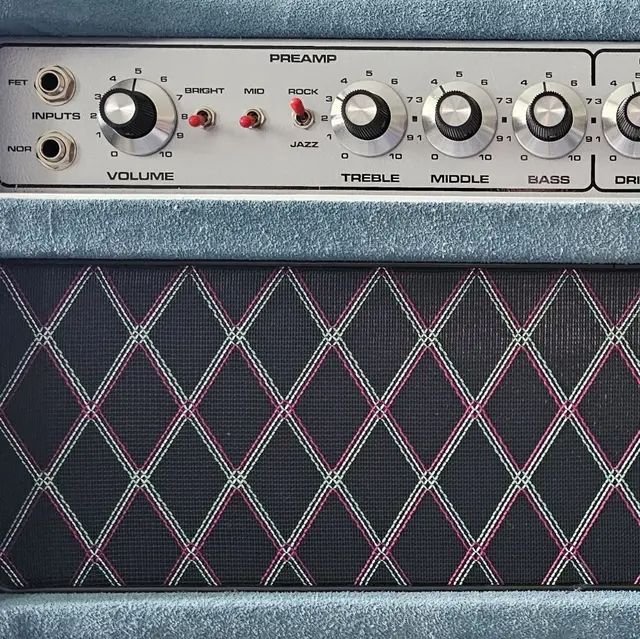
Dumble ODS Clean + Drive + HG NAM Profiles
Published: March 21, 2026
Video Description
Hello! In this video, I demonstrate a Dumble Clean NAM (Neural Amp Modeler) capture running on the Nux MG-30 with the latest Gen2 v6 Firmware. I run all the modulation effects with the Dumble NAM profile to show how it handles NAM using its onboard effects. I also do a quick test of the 5 new overdrives from the v6 update, including the OCD and more. 👉 All settings used across the 3 scenes are shown in the video.
📥 Download the Dumble NAM by Graysonbt from Tone3000: https://www.tone3000.com/tones/dumble-ods-clean-drive-hg-38137
● Nux MG-30 YouTube Playlist:
https://www.youtube.com/playlist?list=PLrxXQYEp-_uhjY71_2YsOUvDdpn5Mnio5
Guitar: Fender Stratocaster MIJ 1996, HSS - Dimarzio pickups: Area 67 neck, Area 58 mid and Paf Pro on the bridge position.
✅ Hey! Support the channel! Get your MG-30 packs here (stock cabs):
https://payhip.com/DirectRecordingGuitar/collection/nux-mg-30-packs
0:00 Dumble Clean + Chorus and clean solo;
1:27 Full-OD + Dumble NAM;
3:44 Wah + Full-OD;
4:06 Clean Groove test - Neck, neck + mid and mid + bridge and wah;
5:26 Vol knob - Full OD;
6:05 All modulation effects;
9:33 New overdrives - Quick test;
10:14 Nux MG-30 patch settings.
*All gear in this video is from my personal setup used in my daily work with bands, studios, and content creation. This is not a sponsored video. All product and brand names, as well as logos, are used solely for identification, tonal reference, and demonstration purposes.
*The tones, riffs, and solos in this video are original compositions/creations inspired by general musical styles and genres, and are used purely for educational and demonstration purposes.
*The tones in this video use NAM (Neural Amp Modeler) captures from Tone3000. All credit goes to the original creators. I don’t host or sell these files—original download links are in the description to support the community.
I've recorded directly to PC using my MG30 as a USB Audio Device. No post-production work. What you hear is what comes from MG-30.
► How to record directly using multi-effects as a USB Interface (The procedure is the same for all multi-effects units that have a USB interface function): https://www.youtube.com/watch?v=m0diFdPJpnY
DIRECT RECORDING GUITAR YouTube Channel All videos (Upload Order):
https://www.youtube.com/user/guitdirectrecording/videos
Instagram ► https://www.instagram.com/directrecording/
Facebook Group ► https://www.facebook.com/groups/guitarpatches/
Facebook Page ► https://www.facebook.com/directrecording/
Professional contacts:
drgcontacts@gmail.com
#nuxmg30 #guitar #guitarist