Lucid
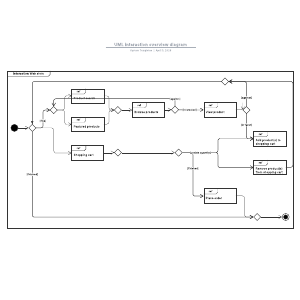
UML Interaction Overview Diagram Template
Published: April 2, 2026
Video Description
Visualize how objects in your system collaborate to achieve goals with UML interaction diagrams. This tutorial explores the four types of interaction diagrams—sequence, communication, timing, and interaction overview—to help you represent control flow and system logic. Learn to identify bottlenecks and align stakeholders using key symbols like lifelines and activation bars.
Learn more about Lucidchart and sign up for a free account today:
https://www.lucidchart.com
*Timestamps*
0:00 What is a UML interaction diagram?
0:36 Four types of interaction diagrams
1:15 Benefits of using interaction diagrams
1:35 Key symbols and message types
2:05 Choosing and drawing the right diagram
2:32 Getting started in Lucidchart
*Recommended resources*
[Guide] All about UML interaction diagrams:
https://www.lucidchart.com/pages/uml-interaction-diagram
[Template] UML interaction diagram:
https://lucid.co/templates/uml-interaction-overview-diagram?p=1
[Training] Basics in Lucidchart course:
https://training.lucid.co/basics-in-lucidchart
#UML #SoftwareDevelopment #Lucidchart #SystemDesign #Agile
*About Lucid*
Lucid Software is the leader in visual collaboration and work acceleration, helping teams turn ideas into reality. Its Visual Collaboration Suite (Lucidchart and Lucidspark) and airfocus, an AI-powered product management platform, help organizations streamline work, foster alignment, and drive business transformation. The most used work acceleration platform by the Fortune 500, Lucid is trusted by 100M+ users worldwide.
🔔 Subscribe for more tips and tutorials: https://www.youtube.com/@lucid_software?sub_confirmation=1
*Connect with us*
Facebook: https://www.facebook.com/lucidsoftware
Twitter: https://x.com/lucidsoftware
Instagram: https://www.instagram.com/lucidsoftware/#
LinkedIn: https://www.linkedin.com/company/lucidsoftware/