Tethertools
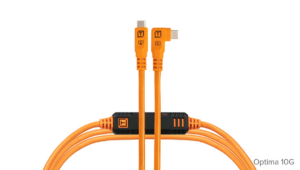
TetherPro Optima 10Gbps USB-C Cable
Published: March 30, 2026
Video Description
In this video, I walk you through my complete Capture One workflow — from tethering during the shoot all the way through color grading, AI masking, retouching, and final export.
Capture One has been the backbone of my RAW processing workflow since 2020, primarily because of its reliable tethering and the accuracy of its camera color profiles. In this tutorial, I’ll show you exactly how I use it in real-world scenarios to create the look and feel of my images.
👉 Try Capture One free for 7 days + get 20% off (limited vouchers):
Use the CODES JOHNPRO20 and JOHNAIO20 to save 20% on Capture One
https://link.captureone.com/91s
Learn more about Capture One's Styles
https://link.captureone.com/6k7
We’ll cover:
• Tethering in Capture One for studio photography
• How I organize shoots using sessions
• My color grading workflow using styles and layers
• AI masking and local adjustments
• Built-in retouching tools for skin cleanup
• Black and white and gel lighting examples
• Exporting images for clients and social media in Capture One
If you’ve ever wondered how I process my images or how to build a professional workflow in Capture One, this video will walk you through the entire process step by step.
Gear & Props
TetherPro Optima 10Gbps Gen 2 USB-C, 15’
Save 10% with the coupon code GRESS10 - https://tethertools.com/product/tetherpro-optima-10g-usb-c-straight-to-right-angle-cable/?ref=231
Amazon https://bhpho.to/4j1ZdvP
B&H https://bhpho.to/48nNa8e
Chesterfield Loveseat, Faux Leather Sofa
Walmart https://howl.link/wbc6nvfifbgyi
Chapters:
00:00 - Introduction
01:03 - Sessions vs. Catalogs
02:10 - Tethering
02:34 - Special Discount for Viewers
02:52 - Migration Mode and Customizing the Workspace
03:27 - Demo Image 1 - Color Profile
03:56 - Demo Image 1 - Color Grading
05:41 - Demo Image 1 - AI Masking
09:09 - Demo Image 1 - Retouching Tab
10:34 - Demo Image 2 - Color Grading
11:42 - Demo Image 2 - Layer Masks
13:20 - Demo Image 2 - Healing Mask
13:44 - Demo Image 2 - Retouching
14:55 - Demo Image 3 - Base Characteristics
16:08 - Demo Image 3 - AI Masking
18:29 - Demo Image 3 - Retouching
18:51 - Exporting for Social Media & Folder Hierarchy
#CaptureOne #PhotographyWorkflow #PhotoEditing #TetheredShooting #PortraitPhotography